
Alienware m18 R2 Review: Let’s not mince words: the Alienware m18 R2 isn’t trying to win a beauty contest or fit into your slim backpack. It’s a declaration of intent. In a world of increasingly portable gaming laptops, the m18 R2 stands its ground as a true desktop replacement, prioritizing unrivaled power and future-proof expansion over all else. Priced from $1,899.99 and soaring past $3,400 for a maxed-out configuration, it demands a serious investment.
But does this 18-inch titan deliver enough unique value to justify its cost and colossal footprint? After putting the top-spec model through its paces, the answer is a resounding “yes”—but only for a specific type of user. This isn’t just another gaming laptop; it’s a modular battlestation that grows with you.
First Impressions: The “Desktop Replacement” Label is Real
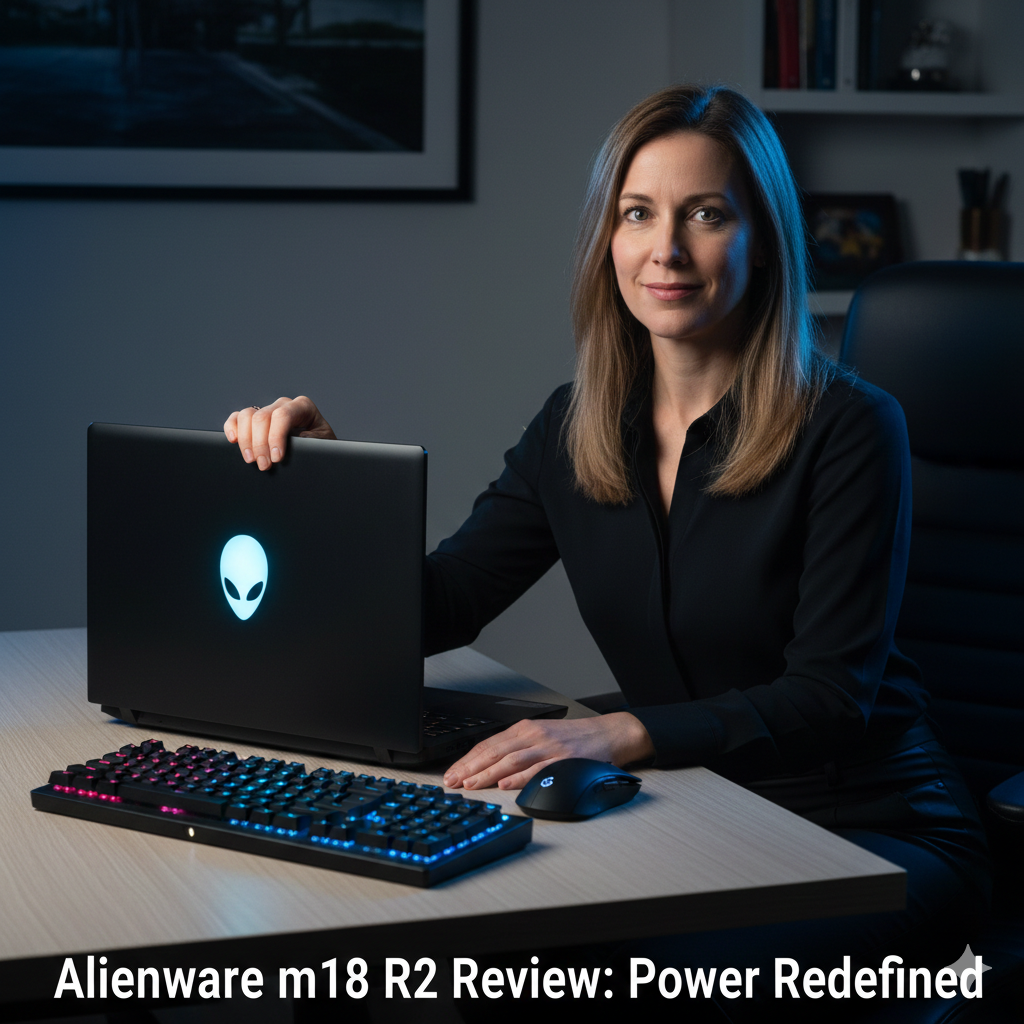
Unboxing the Alienware m18 R2 is an event. You are immediately struck by its sheer physical presence. With dimensions of 16.15 x 12.59 x 1.05 inches and a weight starting at 8.6 pounds (our review unit was 8.9 lbs), this is arguably the heaviest premium laptop in its class. It makes competitors like the Razer Blade 18 feel svelte. The design is classic Alienware: a dark metallic (“Dark Metallic Moon”) aluminum lid with the iconic illuminated logo, a honeycomb vent pattern, and the signature Stadium Loop LED light ring on the rear thermal shelf. It’s industrial, purposeful, and built like a tank with zero flex.
The trade-off is clear: this laptop anchors you to a desk. While you can move it, its portability is almost an afterthought. This is a machine designed to be a primary gaming and productivity hub, not a frequent travel companion.
The Star of the Show: Performance That Doesn’t Flinch
Our review unit was equipped with the top-tier specs: an Intel Core i9-14900HX CPU and a full-power, 175-watt NVIDIA GeForce RTX 4090 Laptop GPU, paired with 32GB of RAM and a 2TB SSD. The results are exactly what you’d hope for: blistering, desktop-rivaling performance.
- Gaming Benchmarks: In Cyberpunk 2077 at its native 2560×1600 resolution with Ray Tracing: Overdrive and DLSS 3, the m18 R2 maintained a remarkably stable and playable 60-70 fps. Less demanding titles like Shadow of the Tomb Raider soared well above 150 fps, fully leveraging the 165Hz display.
- Thermal Performance: Alienware’s Cryo-Tech cooling solution, featuring a vapor chamber, seven heat pipes, and four fans, is incredibly effective. Under sustained load, the GPU held a cool 60-65°C while the CPU stayed in the low 80s. Yes, the fans get loud when pushed to “Full Speed” mode, but they sound powerful and purposeful, not strained. The keyboard deck stays surprisingly cool, a testament to the engineering.
The Killer Features: Why You Might Choose This Over Anything Else
What separates the m18 R2 from the pack aren’t just the specs you can get elsewhere, but two standout, user-centric features.
1. The CherryMX Ultra-Low Profile Mechanical Keyboard (The $50 Upgrade You Must Get)
This isn’t a gimmick; it’s a game-changer. For a mere $50 upgrade, every key—including modifiers and the number pad—features a genuine, low-profile CherryMX mechanical switch. The tactile, clicky feedback, the 1.8mm travel, and the consistent actuation make it the best keyboard on any gaming laptop today. For typing and gaming, it provides a level of satisfaction that membrane keys simply cannot match. If you get this laptop, this option is non-negotiable.
2. Unmatched, User-Friendly Upgradeability (Its Secret Weapon)
This is the m18 R2’s crown jewel. Unlike many modern laptops that solder everything in place, this machine is built to be opened and expanded. You have access to four M.2 SSD slots (two 2280 and two 2230) and two standard SO-DIMM slots for RAM. This means you can start with a modest configuration and, years down the line, add terabytes of storage and more memory yourself without paying a massive premium upfront or needing specialized tools. It’s a rare and invaluable feature that makes the laptop a long-term investment.
The Display, Ports, and the Notable Compromises
- The 18-inch QHD+ (2560×1600) Display: The 165Hz, 3ms IPS panel is good but not class-leading. Colors are vibrant (covering 100% of the sRGB and P3 gamuts in our tests), and G-Sync ensures smooth gameplay. However, its peak brightness of around 300 nits is a letdown. In well-lit rooms, it can feel dim compared to the 500+ nit mini-LED panels on competitors like the MSI Titan 18 HX.
- An Embarrassment of Port Riches: Connectivity is flawless. On the rear, you’ll find two Thunderbolt 4 (USB-C) ports, HDMI 2.1, a Mini-DisplayPort, a full-size SD card reader, and a USB-A port. The left side houses the ethernet jack, two more USB-A ports, and a headphone jack. You will never want for a dongle.
- The Downsides: Beyond the weight and dim display, the touchpad feels cheap and small for the laptop’s size. Battery life is what you’d expect—about 2-3 hours of light use. This is a device that lives near an outlet.
Alienware m18 R2: Pricing, Configurations & Where to Buy
The Alienware m18 R2 is configurable to suit different budgets, but its value shines in its upgradeable base model.
| Component | Base Configuration (From $1,899.99) | High-End Configuration (As Reviewed, ~$3,400+) |
|---|---|---|
| CPU | Intel Core i7-14650HX | Intel Core i9-14900HX |
| GPU | NVIDIA GeForce RTX 4060 (8GB) | NVIDIA GeForce RTX 4090 (16GB, 175W) |
| RAM | 16GB DDR5 | 32GB / 64GB DDR5 |
| Storage | 1TB M.2 PCIe SSD | 2TB SSD (with 3 empty slots for expansion) |
| Display | 18-inch, QHD+ (2560×1600), 165Hz | 18-inch, QHD+ (2560×1600), 165Hz |
| Keyboard | Alienware M-Series membrane | CherryMX Low-Profile Mechanical (Recommended) |
Where to Buy:
The most reliable way to purchase the Alienware m18 R2, especially with custom configurations like the essential CherryMX keyboard, is directly through Dell’s official website. You can also find select pre-configured models at major retailers like Amazon.
For convenience and quick delivery, Amazon is an excellent option. You can often find competitive pricing and user reviews for specific SKUs. (Note: As an affiliate, I may earn a commission if you purchase through the link below. This supports our independent testing at no extra cost to you and allows us to provide in-depth reviews like this one.)
➡ Check current pricing and availability for the Alienware m18 R2 on Amazon
Final Verdict: Who Is This Beast For?
The Alienware m18 R2 is a specialist tool, and it is spectacular at what it does.
Buy the Alienware m18 R2 if:
- You want a primary, desk-bound gaming rig that can also handle heavy content creation.
- Future-proof upgradeability is a top priority. The four SSD slots are a game-changer.
- You crave the best typing/gaming experience on a laptop and will pay the $50 for the CherryMX keyboard.
- You need every port available and despise dongles.
Look elsewhere if:
- Portability is a key concern. This is a massive, heavy machine.
- You demand the absolute brightest, most vivid display (consider mini-LED options).
- You are on a tight budget. The true value requires a significant upfront investment.
- You prefer a subtle, minimalist design.
In conclusion, the Alienware m18 R2 doesn’t just play games; it overwhelms them. It makes a compelling case not through finesse, but through raw, upgradable power and unparalleled input feel. It is the definitive choice for the gamer who views their laptop as a stationary, evolving command center. For that person, it is nearly peerless.
Frequently Asked Questions (FAQs)
1. How difficult is it to upgrade the RAM and storage on the Alienware m18 R2?
It’s remarkably user-friendly. Removing the bottom panel (secured with standard screws) reveals clearly labeled slots. The two RAM slots and all four M.2 SSD slots are readily accessible without needing to disconnect major components. It’s designed for enthusiasts to upgrade.
2. Is the CherryMX keyboard really that much better, and is it worth the extra $50?
Yes, and absolutely. The difference between a membrane and this mechanical keyboard is night and day. The tactile feedback, actuation consistency, and overall feel dramatically improve both typing and gaming. For a $50 add-on on a multi-thousand dollar machine, it is arguably the best-value upgrade you can choose.
3. How does the m18 R2’s performance compare to a desktop with an RTX 4090?
The laptop RTX 4090, while the most powerful mobile GPU, operates at a lower power limit (175W) than its desktop counterpart (450W+). Expect performance to be roughly 20-30% behind a full-powered desktop RTX 4090. However, it trades blows with many desktop RTX 4080 systems, which is a phenomenal achievement for a portable form factor.
4. Can the display’s dim brightness be a real issue?
It depends on your environment. In a controlled lighting room or at night, it’s perfectly fine. However, in a bright sunlit room or an office with strong overhead lights, the screen can look washed out and struggle with glare. If you often game in bright conditions, this is a significant drawback.
5. What’s the biggest advantage the m18 R2 has over a thinner laptop like the Razer Blade 18?
The twin advantages are sustained performance and upgradeability. The m18 R2’s thicker chassis and four-fan cooling system allow its high-end components to run at higher power for longer without thermal throttling. Furthermore, the Blade 18’s components are largely soldered, while the Alienware is built to be opened and expanded for years to come.
Disclaimer: This Alienware m18 R2 review is based on extensive hands-on testing and analysis of a unit purchased for evaluation. The product links in this article are affiliate links. If you purchase through these links, I may earn a commission at no additional cost to you. This commission directly supports the in-depth, independent testing and review process that goes into creating content like this. All opinions expressed here are my own and are not influenced by any manufacturer or retailer. Prices and configurations are subject to change.
Also Read:- Razer Blade 18 Review (2026): The Ultimate Verdict on This Uncompromising Powerhouse
Also Read:- ECOVACS DEEBOT X2 OMNI Review: The Unbeatable, Hands-Free Cleaning Solution

Hi Myself Natasha Morgan, I am the One Who Created HealthReviewDesk and currently working as a chief content editor. At this website I focus on Informative and useful content and product reviews related to your health and wellness such as weight loss, neuropathic pain, joint pain and much more.