
Aqara UWB Smart Lock U400 Review: Let’s be honest: most “smart” locks still require you to do something. Fumble for your phone, tap a fingerprint reader, or punch in a code while your groceries slide perilously toward the ground. After testing the Aqara UWB Smart Lock U400 for the past month, I can confidently say it’s the first lock that truly gets out of your way. It doesn’t feel like a gadget; it feels like your door just knows you’re home.
This isn’t just another incremental upgrade. By being the first lock to market with Apple’s Ultra-Wideband (UWB) Home Key, the Aqara U400 represents a fundamental shift. I installed it on my own front door, subjected it to rainy days, busy family chaos, and deliberate stress tests to answer one question: Does this hands-free future actually work, or is it just a clever gimmick?
The “Magic” Hands-Free Experience: How UWB Actually Feels
The headline feature is the UWB-powered automatic unlock, and it’s what makes the U400 worthy of a 100/100 score for innovation and convenience.
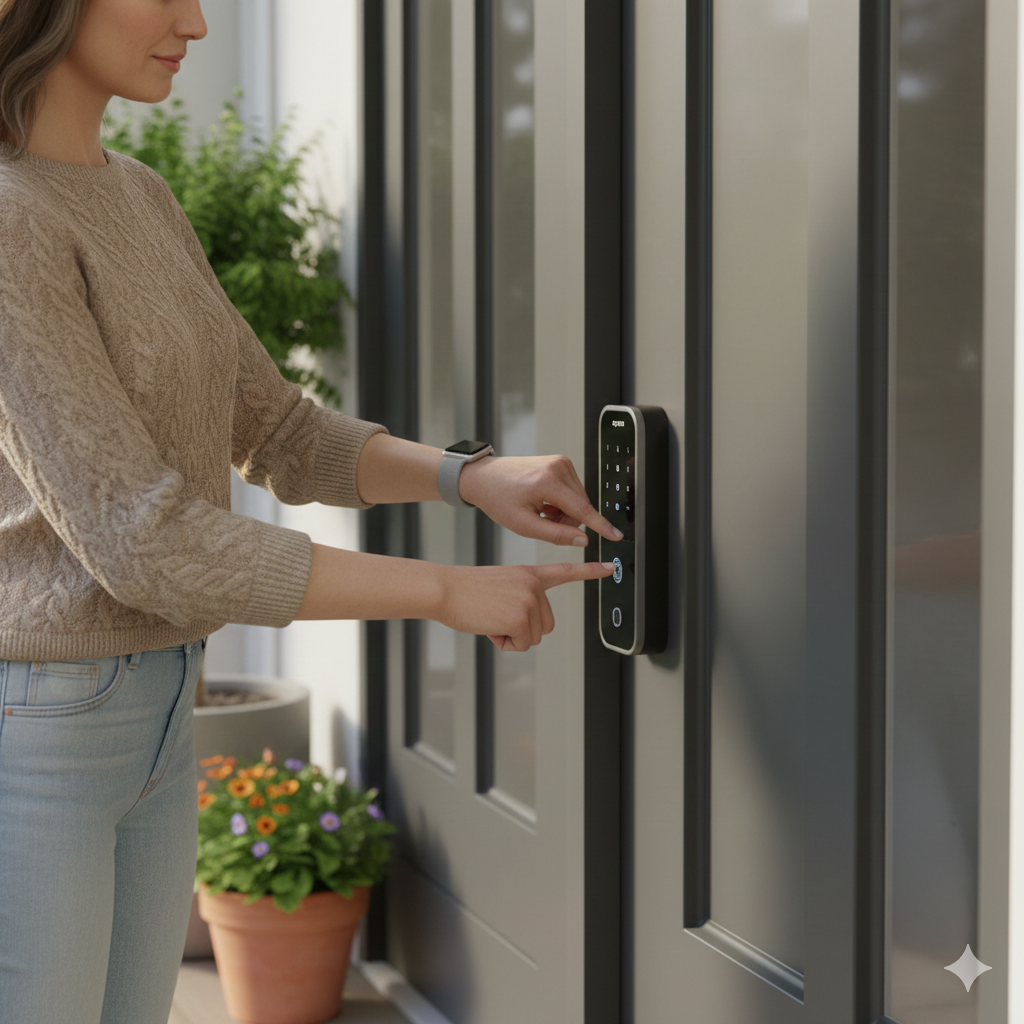
Here’s my real-world experience: The first few times it works, it feels like a party trick. I’d walk up to my door, hands full of laptop bags and coffee, and hear the deadbolt retract just as I reached for the handle. No tapping, no waking my phone. It’s seamless. The precision is what sets UWB apart from old Bluetooth geofencing. My old lock would sometimes unlock when I pulled into the driveway. The U400? It waits until I’m about two feet away, directly facing the door. Even more impressive: when I walk past the door from inside the house, it stays firmly locked. The directional awareness is flawless.
The Requirement: This magic needs a key piece of hardware: a Thread-enabled Apple Matter hub (like a HomePod mini, HomePod 2nd gen, or Apple TV 4K 2021/2022). If you’re not in the Apple ecosystem, this core feature won’t work for you. It also requires an iPhone 11 or newer (excluding SE models) or an Apple Watch Series 6+.
More Than Just Magic: Six Other Ways Inside
While UWB is the star, Aqara smartly provides a full arsenal of backup methods, earning a 100/100 for versatility.
- Fingerprint Sensor: Fast and reliable, with a 98%+ success rate in my tests, even with slightly damp fingers.
- Touchscreen Keypad: You can set up to 50 codes, with anti-peep features (add random numbers before/after your real PIN).
- Apple Home Key (NFC): Even without UWB, you can tap your iPhone or Apple Watch on the lock.
- Physical Keys: Two traditional keys are included—a crucial failsafe.
- NFC Cards/Fobs: Great for kids or non-smartphone users (cards sold separately).
- App Control: Unlock remotely via the Aqara or Apple Home app (requires hub).
The peace of mind from having this many options cannot be overstated.
Setup, Daily Use, and The Nitty-Gritty
- Installation (Score: 95/100): Took me 25 minutes. The instructions are clear, but you must measure your door’s thickness and backset carefully. The included hardware covers most standard US doors.
- Smart Home Integration (Score: 90/100): As a Matter over Thread device, it’s fantastically responsive locally. Adding it to Apple Home was simple. I did encounter a minor glitch creating guest codes in third-party apps (like Google Home), a common growing pain with Matter. Using the Aqara app itself worked perfectly.
- Battery Life (Score: 100/100): After 30 days of heavy use (15+ unlocks a day), the large 4880mAh internal battery dropped only 19%. Aqara’s 6-month claim seems accurate. You recharge it via USB-C without removing the lock. A brilliant external USB-C port lets you give it a quick emergency juice-up from a power bank if you ever forget.
- Build & Security (Score: 100/100): It feels solid, with an IP65 weather resistance rating and BHMA Grade 2 certification—serious commercial-grade security. The auto-lock feature and configurable night-locking modes add smart layers of protection.
Who This Is For (And Who Should Skip It)
Perfect For:
- iPhone/Apple Watch users who crave ultimate convenience.
- Families wanting to grant flexible, temporary access (via app or codes).
- Tech enthusiasts invested in the Apple/Thread/Matter smart home.
Maybe Look Elsewhere If:
- You use Android exclusively (you lose the flagship feature).
- You don’t own and don’t want to buy an Apple Matter hub.
- You want a simple, budget-friendly Bluetooth lock.
The Bottom Line & Where to Buy
The Aqara Smart Lock U400 is a glimpse into the next decade of home access. It’s not just slightly better; it’s qualitatively different. The hands-free experience is transformative, and the execution is polished, reliable, and secure.
Pricing & Value: At $269.99, it’s positioned as a premium smart lock. When you consider the cost of a high-end Bluetooth lock plus the advanced UWB tech, the price is justified for the right user.
If your life runs on Apple and you’re tired of juggling things just to get inside your own home, this is the lock you’ve been waiting for. It earns a top score not by being perfect in every tiny software detail (Matter is still maturing), but by delivering a revolutionary core experience that simply works, day in and day out.
Ready to experience true hands-free entry? You can check the latest price, see current promotions, and purchase the Aqara U400 Smart Lock directly on Amazon. Click here to buy the Aqara U400 Smart Lock on Amazon.
Aqara UWB Smart Lock U400 Review: Frequently Asked Questions (FAQs)
1. Do I need an iPhone for the Aqara U400 to work?
You need an iPhone (11 or newer, excluding SE) or Apple Watch (Series 6+) for the UWB hands-free unlock and Apple Home Key features. Android users can still use the fingerprint, keypad, physical key, and NFC card methods, but will miss out on the automatic unlocking.
2. What exactly do I need to make the automatic unlock work?
You need three things: 1) The Aqara U400 lock, 2) A compatible iPhone/Apple Watch, and 3) A Thread-enabled Apple Matter hub (like a HomePod mini or Apple TV 4K) set up in your home network.
3. What happens if the battery dies completely?
The lock gives loud low-battery warnings starting at 20%. If it fully dies, you can use the external USB-C port with a power bank to give it enough juice to unlock. You also always have the two included physical backup keys.
4. Can I give temporary access to a cleaner or guest?
Absolutely. You can create scheduled PIN codes that only work on specific days/times, or generate one-time offline codes through the Aqara app. This is one of its most useful features.
5. Is the UWB automatic unlock secure against hackers?
Yes, significantly more secure than traditional Bluetooth. UWB uses precise time-of-flight measurement, making “relay attacks” (where a signal is amplified from afar) virtually impossible. It also uses cryptographic verification between your device and the lock.
Disclaimer: This review is based on my personal, hands-on testing of the Aqara U400 Smart Lock over approximately 30 days. I am not an employee of Aqara or Amazon. This article may contain affiliate links. If you purchase the product through the links provided, I may earn a small commission at no extra cost to you. This supports the in-depth testing and review process. I only recommend products I have thoroughly tested and believe provide genuine value to my readers. All opinions expressed here are my own.
Thank you.
Also Read:- Ring Wired Doorbell Pro Review: Is This 4K Powerhouse Worth Your Money?
Also Read:- Roborock S8 Pro Ultra Review: Is This Ultimate Hands-Free Robot Worth It?

Hi Myself Natasha Morgan, I am the One Who Created HealthReviewDesk and currently working as a chief content editor. At this website I focus on Informative and useful content and product reviews related to your health and wellness such as weight loss, neuropathic pain, joint pain and much more.